

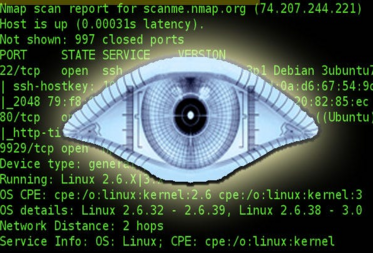
Nmap (Network Mapper) is a powerful open-source network scanning tool used for discovering hosts and services on a computer network, thus creating a "map" of the network. It's widely used by network administrators, security professionals, and ethical hackers for network inventory, security auditing, and vulnerability assessment.
Here's an overview of how to use Nmap:
- Basic Scan:
To perform a basic scan of a target host, you can use the following command:
nmap [target]Replace [target] with the IP address or hostname of the target host. This command will scan the target for open ports and display the results.
-
Port Scan:
You can specify specific ports to scan using the -p option:
nmap -p 1-1000 [target]
This command will scan ports 1 through 1000 on the target host.
-
Service Version Detection:
Nmap can attempt to determine the version of services running on open ports using the -sV option:
nmap -sV [target]
This command will scan the target and attempt to determine the version of services running on open ports.
-
Operating System Detection:
Nmap can also attempt to determine the operating system of the target host using the -O option:
nmap -O [target]
This command will scan the target and attempt to determine its operating system based on various characteristics.
- Aggressive Scan:
The -A option enables aggressive scanning, which includes service version detection, OS detection, script scanning, and traceroute:
nmap -A [target]
This command will perform an aggressive scan of the target host, providing more detailed information.
-
Output Options:
You can specify the format and location of the scan results using options such as -oN, -oX, and -oG:
nmap -oN scan_results.txt [target]
This command will save the scan results to a file named scan_results.txt.
-
Script Scanning:
Nmap includes a scripting engine (NSE) that allows you to run scripts to perform additional tasks during the scan. Use the --script option to specify a script:
nmap --script [script] [target]
Replace [script] with the name of the script and [target] with the target host.
These are just some of the basic features and options of Nmap. It's a highly versatile tool with many advanced features and capabilities, so it's essential to read the documentation and experiment with different options to get the most out of it.



Leave a comment